Create the event
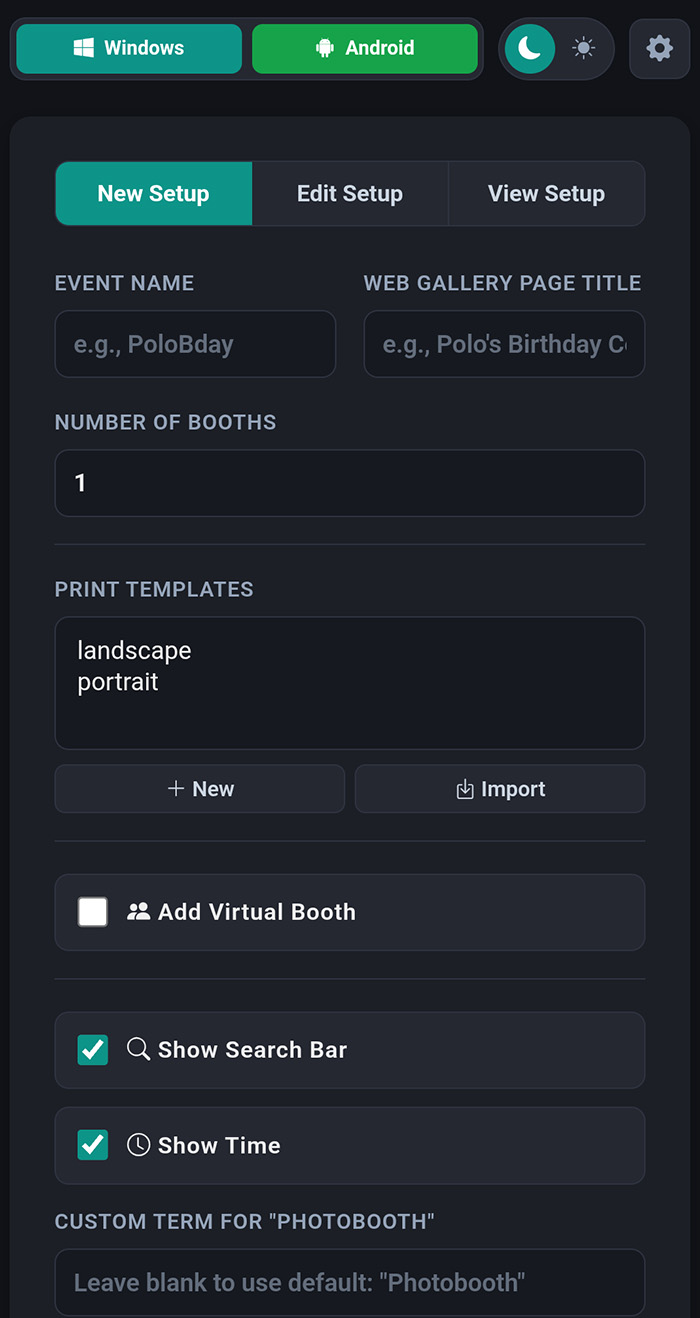
Set booth count, gallery title, QR links, search options, time display, and virtual booth settings.
Manage booth setup, capture, sharing, and guest uploads from one system built for live events.
PoloPro connects event setup, booth apps, templates, QR sharing, and gallery management without moving between separate tools.
Set booth count, gallery title, QR links, search options, time display, and virtual booth settings.
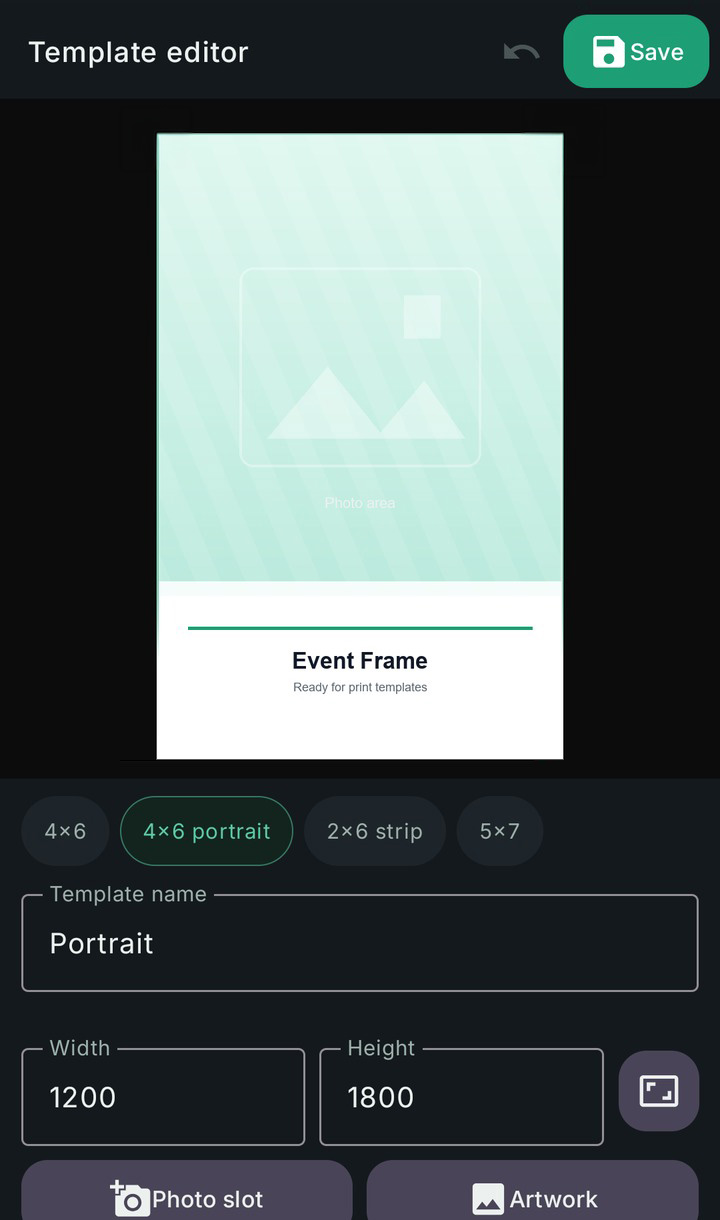
Import portrait and landscape frames, then match each capture to the right output format.
Launch from Android or Windows, connect supported cameras, and keep booth files ready for live operation.
Give guests a QR path to their photos and keep the event gallery organized from the dashboard.
The dashboard centralizes event setup, QR links, booth types, gallery settings, and uploaded photo management.
When a booth captures a photo, PoloPro can detect its orientation and use the matching portrait or landscape template.
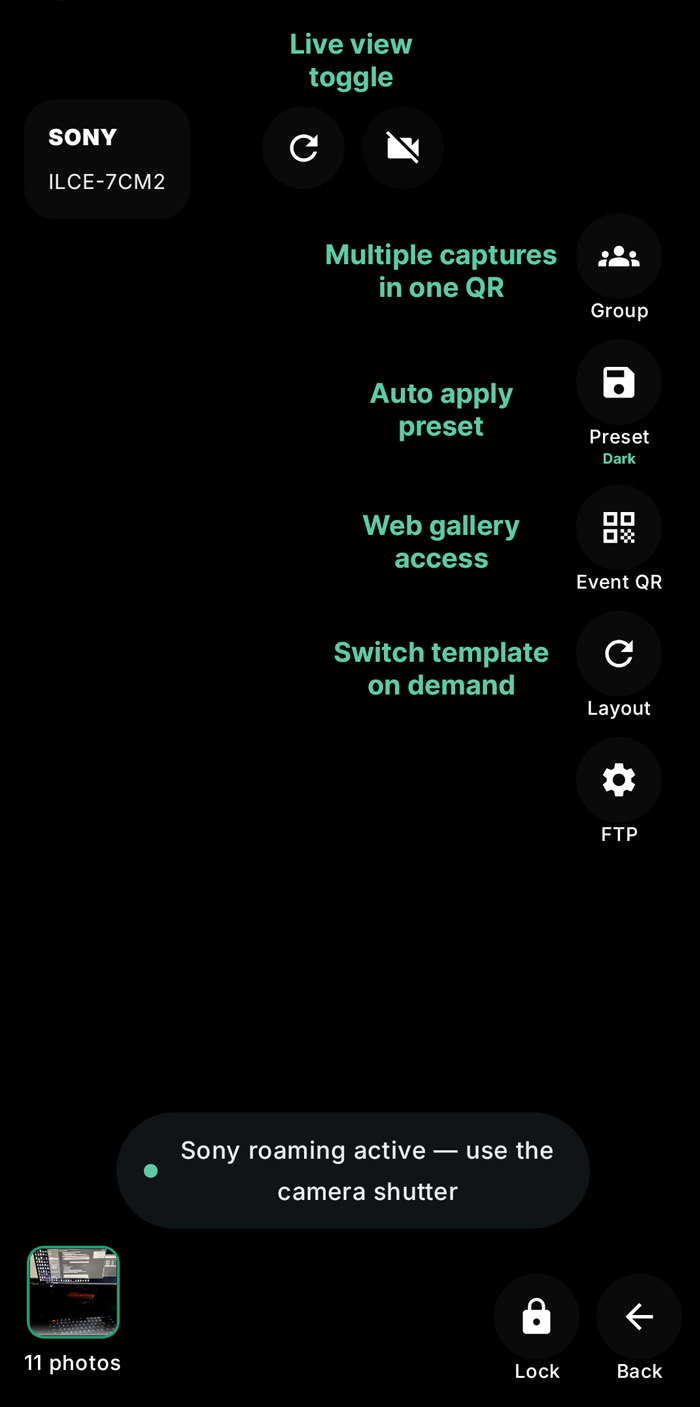
The booth apps are built for on-site operation, with clear capture controls and camera workflows for supported brands.
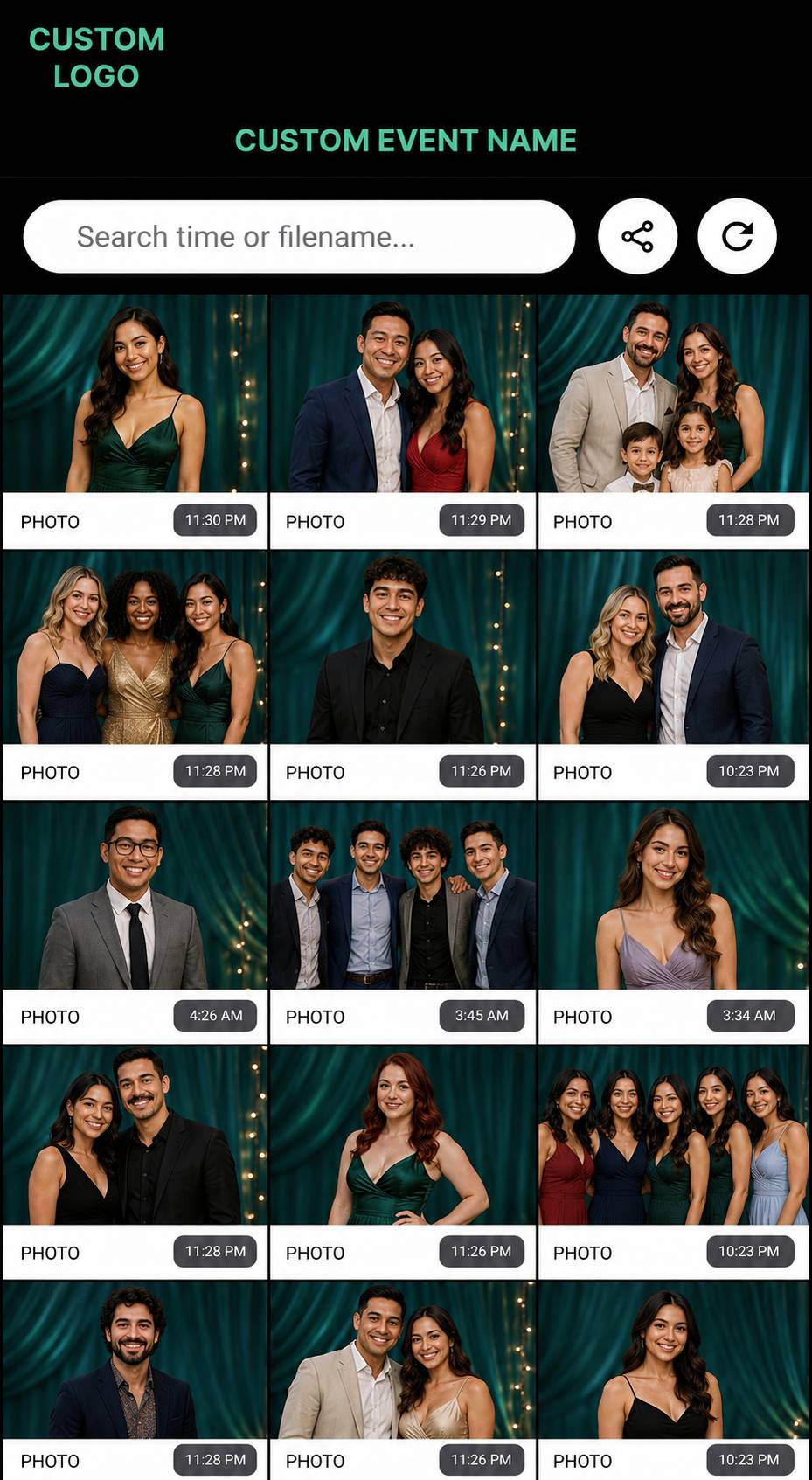
Each event can have its own mobile gallery with search, sharing, refresh, and download controls.
These are the pieces that matter most during setup, live capture, and post-event delivery.
Portrait and landscape captures can use the correct template without manual switching.
Photo access can be shared by QR code for internet-connected events or local/offline setups.
Publish a searchable mobile gallery with share, refresh, download, and management controls.
Use supported Sony, Nikon, and Canon cameras for connected capture. Canon support is in beta.
Guests can use their own camera, add stickers, doodles, and text, then upload to the event gallery.
Photo management views can pull new booth and virtual booth uploads while an event is active.
Use the dashboard in the browser, then run booth capture on Windows or Android.